
Add your machines.
Enter an SSH host and sign in. Use a reachable IP, hostname, or your existing Tailscale network.

The work keeps going when you step away.
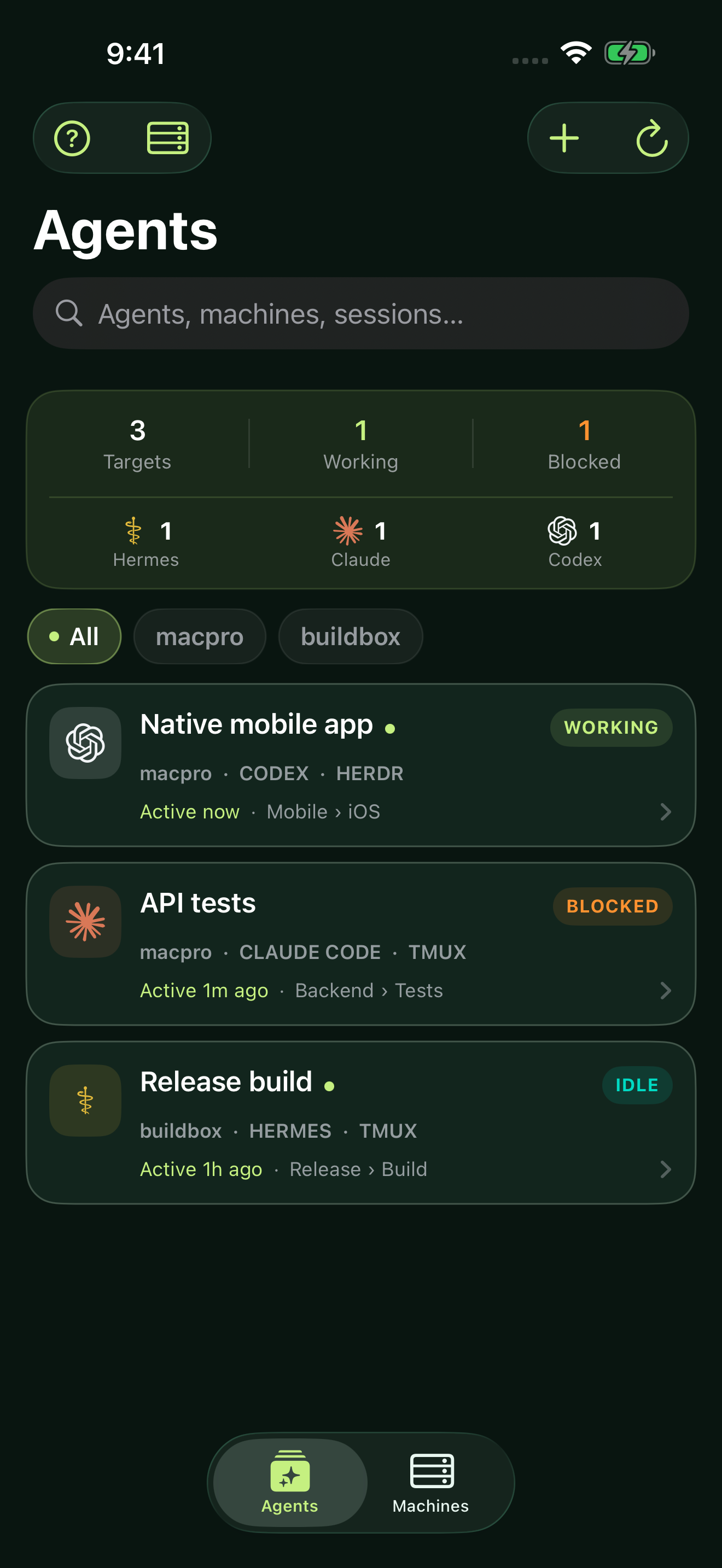
See your coding agents across machines—and open the pane that needs you.
Free on iPhone and iPad. Your machines. Your SSH connection.
Mac: awaiting App Store review. Android: in development.
Less searching. More doing.
No new agent platform. No dashboard to maintain.
Just your existing sessions, made reachable.
Enter an SSH host and sign in. Use a reachable IP, hostname, or your existing Tailscale network.
Find agents across Herdr and tmux, ordered by observed activity. Filter by machine or search for the task.
Tap an agent to open its terminal. Or open a normal SSH shell and start whatever you need yourself.
A terminal, not a detour.
Swift on iOS. Kotlin on Android. Native terminal rendering, with no web terminal wrapped inside the app.
Open the Herdr target or tmux pane you selected. Keep separate saved zoom preferences for tmux and for Herdr / SSH.
No AgentPanes daemon to install. Herdr and tmux actions are explained before you allow them, one machine at a time.
Before you connect
You need SSH access and an existing Herdr or tmux installation to discover agents. There is no AgentPanes plugin or daemon to install. Integration access is optional and explicitly requested for each machine.
Yes. Use any SSH host your phone can reach. Tailscale is optional and runs separately on your devices. Hosts using Tailscale SSH may request approval in your browser.
No AgentPanes server relays your terminal session. The app connects to your chosen host over SSH using the network available on your phone.
Yes. Download AgentPanes for iPhone and iPad on the App Store. The native Mac app is awaiting App Store review and is not yet available to download. Android is in development and not yet on Google Play.
AgentPanes is free to download on iPhone and iPad. The application source is private. Third-party components retain their own licenses.

Free on the App Store. Mac awaiting review. Android in development.