
I wanted to check my coding agents from my phone. So I built AgentPanes.
I run Claude Code, Hermes and Codex across a few machines, mostly inside Herdr and tmux. When I'm away from my computer, I sometimes just want to see what one of them is doing and type a reply.
I could already SSH from my phone. Getting to the right agent meant finding the machine, attaching to the session, then finding the pane. I wanted to open an app and tap the agent I needed.
We've been building that app. It's called AgentPanes, and it has native apps for iPhone, iPad and Android. It connects to your own machines over SSH.
It started on my Linux desktop. We built a Rust app for Omarchy that showed agents across my machines. Once I had that view, I wanted it on my phone too. We added tmux alongside Herdr because I use both, and I didn't want to remember which one I'd used to start something.
Finding the agent
You add your machines with their SSH details. AgentPanes finds supported agents in Herdr and tmux and puts them in one list. Claude, Hermes and Codex have recognizable icons, so you can scan the cards without reading each one.
There's a Machines view too, but I spend more time in the agent list. Usually I know which bit of work I want to return to before I remember where it's running. You can pin agents and switch between them from inside the terminal, without backing out to the list.
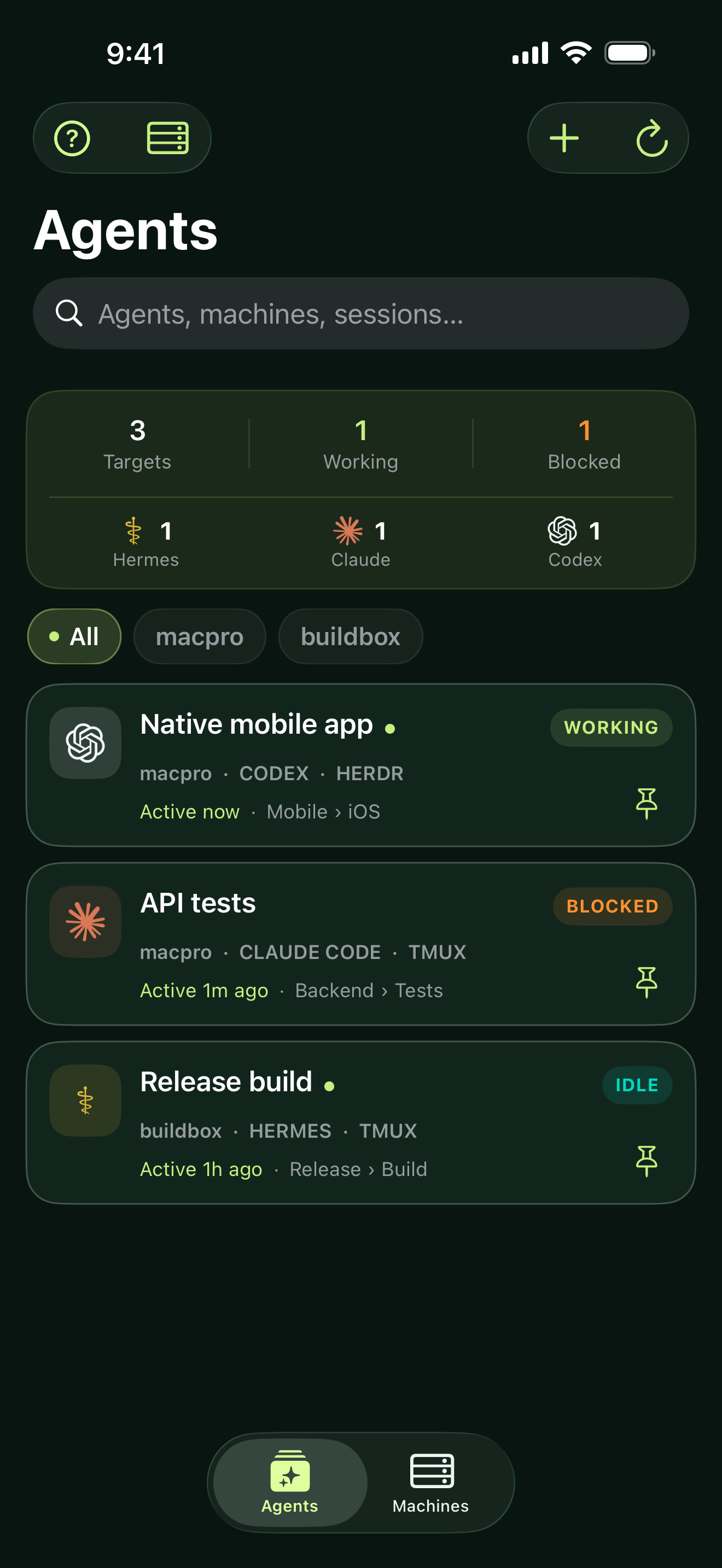
We added a marker for output that's changed since you last viewed an agent. I was particular about the wording: new output doesn't mean an agent has finished or needs you. It might just be printing logs. I want the app to tell me what it has observed.
Sorting needed work as well. Inactive tmux panes kept appearing near the top of the list. We worked on ordering by observed activity so those panes wouldn't keep pushing the agents I was interacting with out of view.
The phone kept finding bugs
The keyboard would open over the bottom of the terminal, hiding what I was typing. On the Pixel, scrolling could select text when I only meant to move through the output. Links were another problem: a URL would work on one line and break when it wrapped onto the next.
Tmux took several rounds. I sent screenshots where the terminal ran off the right edge, or where a large part of the screen was black. I'd change the text size and the layout still wouldn't fit. We had to get the terminal dimensions and remote layout to respond to the phone.
We tested on a physical iPhone and Pixel as well as simulators and emulators, adding regression tests as we found problems. A lot of the development was opening an agent on a phone, trying to use it normally, and finding the next thing that got in the way.
AgentPanes now opens the selected Herdr or tmux pane on its own in the phone terminal. The other panes keep running. You can type, scroll, select text and open supported links. Text size is saved across your machines, with one preference for tmux and another for Herdr and ordinary SSH. The size I liked for one wasn't right for the other.
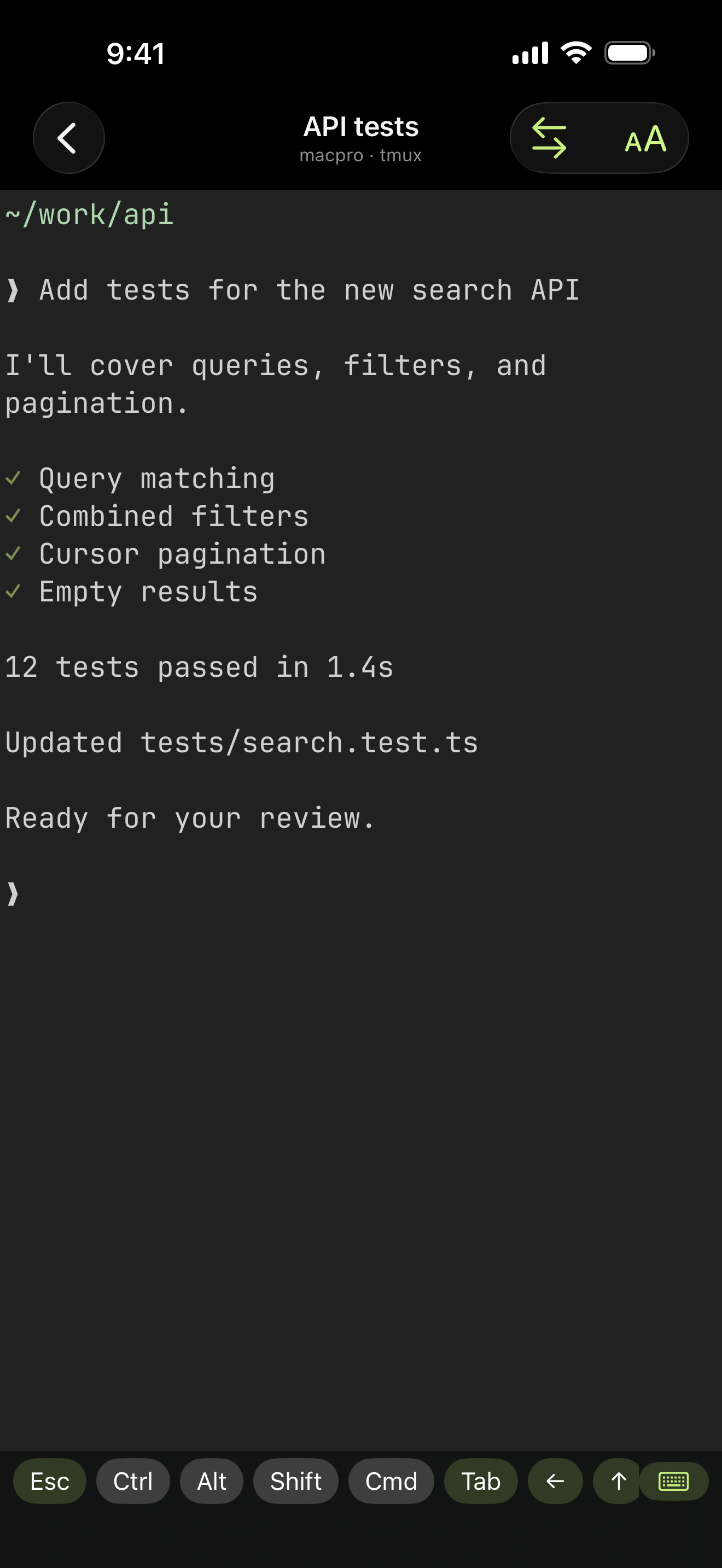
Both interfaces are native: Swift on iOS and Kotlin on Android. I wanted the terminal to feel responsive. We also spent time profiling memory and background activity, and running battery tests on the phones.
Connecting to your machines
Testing on my own machines was convenient, but I kept coming back to what we'd be asking someone else to do. I didn't want using the mobile app to depend on installing our desktop plugin or a new service on their server.
Your machine needs SSH and whichever tool you're using, Herdr or tmux. There's no AgentPanes daemon to install. You can connect with a password or an imported OpenSSH Ed25519 key. If you already use Tailscale to reach your machines, that works too. Tailscale is optional and runs separately.
The app does run commands over SSH to discover and attach to sessions. Before enabling the Herdr or tmux integration, you get a permission prompt for that machine. You can allow it once or remember the choice, and revoke it later. Attachment can affect the shared session's focus or layout; the prompt explains this before you connect.
There's also a normal SSH terminal. To start a new session, open a shell and run the command you normally would.
Getting it out there
I'm making AgentPanes free to download. The source is private. You'll still need your own machines and any accounts your agents use.
We've submitted the iOS app for App Review and are preparing the Android release. I'll add the store links on the homepage when they're available.
If you use Herdr or tmux across a few machines, I'd like to hear what you find awkward when connecting from your phone. You can reach me at support@agentpanes.com.
Third-party names and logos belong to their respective owners. AgentPanes is not affiliated with or endorsed by Anthropic, OpenAI, or the other tool providers.